Amor Fati
Stress-Testing Google Flow by Breaking It on Purpose
Jan 10, 2026 · Kenneth Hung · 15 min read
Over the holidays, I did what I always do with new creative tools. Pushed them until they broke.
I've spent years as a Product Creative Director shipping at scale (consumer effects, creator tools, APIs, templates), leading UX teams that built AR/AI experiences for billions of users at Meta. That work taught me something: you don't understand a system by following the happy path. You understand it by finding the edges.
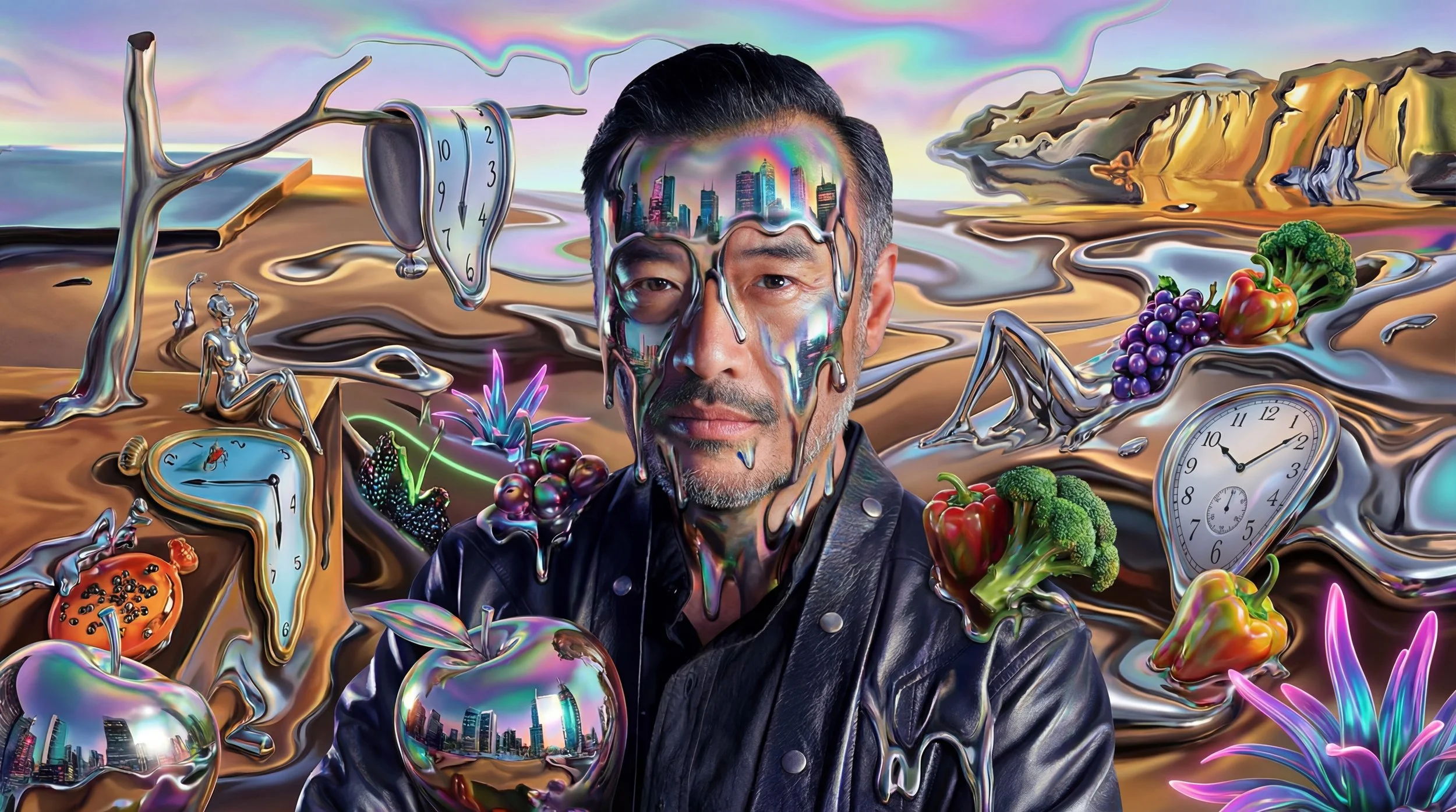
So I took Google Flow and gave myself one constraint: a single image, my LinkedIn profile photo, as the only identity reference. From that, I built a surreal short called Amor Fati, inspired by my turbulent childhood.
I'm the character. That choice wasn't sentimental. Identity persistence is the hardest unsolved problem in generative video, and the only honest way to test it is to use a face you know down to the millimeter and notice every place the model gets it wrong.
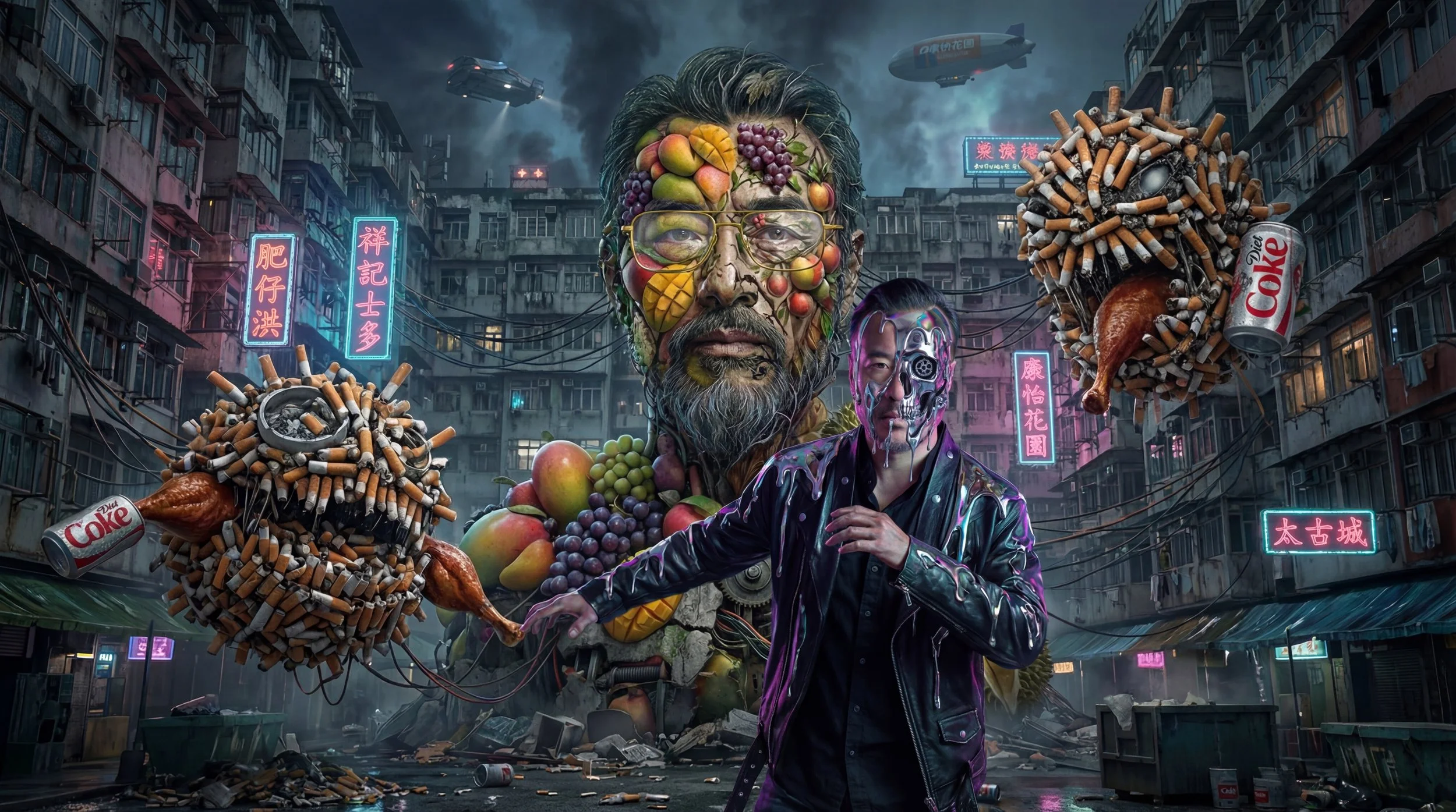
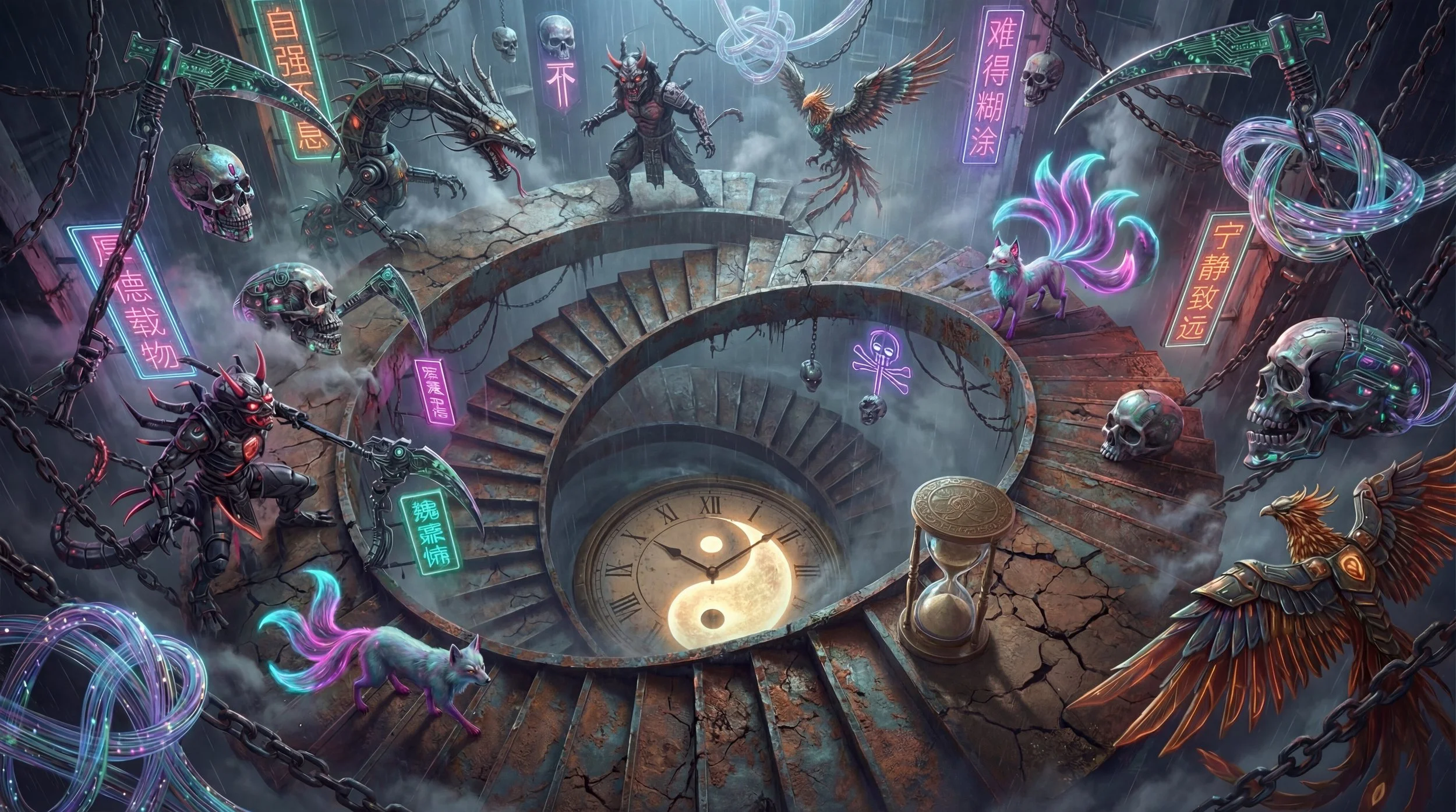
All images and clips were generated in Google Flow using Veo 3.1 and Nano Banana Pro.
Exported at native resolution (1280×720).
High-res upscaling was tested but introduced visible artifacts (see notes below).
Final assembly and timing edits were completed in iMovie due to limited fine-grained editing in Scene Builder.
TL;DR
This isn't a tool review. It's an analysis of a generative AI video system, organized around this thesis:
A generative video tool is two products at once: a model surface and a product surface. They require different UX vocabularies, different evaluation methods, and different design judgment. The work of an AI Behavior designer in this space is keeping them separate long enough to think clearly, then bringing them back together at the layer where they collide and where it matters most: trust.
Table of Contents:
Model-layer observations. Identity drift and anatomical inconsistency are architectural, not prompting problems. A small eval across hundreds of generations changed what I noticed: drift wasn't a prompt problem, it was a temporal-anchoring problem. The design move is knowing which to advocate against in research roadmaps and which to design around.
Product-layer observations. Scene Builder solves continuity within scenes. The unsolved abstraction is transitions between scenes. I designed and prototyped one feature end-to-end, based on Google Flow's existing Scene Builder UI. The interactive demo is below.
Trust-layer argument. Provenance drift is the most important unsolved problem in this category, and it's a UX problem before it's a policy problem. Ethics isn't separate from interface. It's a question of observability.
Part 1.
Model-layer observations
There's a category of problems where the interface can't save you. The model's behavior is the user experience, and the only honest design response is to understand the architecture well enough to know what kind of problem you're looking at.
Identity Persistence
Using my own face was intentional because I knew every millimeter of it. Across multiple scenes with heavy morphing and frame-to-frame generation, identity drift appeared frequently. Even with restructured prompts, explicit negative constraints, and reinforcement, the system would introduce a different Asian male face.
This isn't a bug. It's a structural challenge. Existing approaches like fine-tuning (LoRA, DreamBooth) and embedding-based methods (IP-Adapter, InstantID) each trade off consistency against flexibility.
The Flow team is also navigating policy surfaces (likeness misuse, deepfake exposure, training-data consent) that constrain how aggressively any of these can be deployed.
For narrative, advertising, or branded content, solving this is non-negotiable.
What's the right abstraction for identity in a creative tool, given the policy surface and the architectural tradeoffs?
-
➔ Project-scoped identity reference, not session-scoped. Commit once, with explicit consent, and the system carries it through every generation in that project until released.➔ Reference stacking at the scene level, so creators don't re-upload the same anchor for every clip.
➔ Explicit reference carryover for frame-to-frame generation, with visible state showing when the anchor is active vs. drifted.
➔ Identity strength controls, letting creators dial fidelity vs. flexibility per scene rather than fighting one global tradeoff.
Solving identity persistence isn't just a quality fix. It's the move that shifts AI video from demo to production tool.
Anatomical Consistency
In one scene featuring Guanyin, the intended motion was simple: water pours from a vase held in her left hand. Despite explicit prompts, masking, and negative constraints, the model repeatedly switched which hand performed the action.
This isn't a prompting failure. It's architectural. Current models don't maintain persistent skeletal tracking across frames. "Left hand" and "right hand" aren't stable internal concepts. The system optimizes for gesture realism frame-by-frame, not anatomical continuity over time.
I tried multiple approaches: anchoring the water origin spatially, keeping hands static, removing the pouring gesture initiation entirely. None reliably solved it.
Until models maintain object-anchored reasoning across time, this remains a design-around constraint, not a prompting problem with a prompting solution.
-
➔ Legible failure messaging, so creators know when they're hitting an architectural limit rather than a prompt limit.➔ Anchor-then-animate workflow, where spatial anchoring of objects is a primitive separate from motion generation.
➔ Scene-level constraint hints ("avoid generating both hands in motion") surfaced as design suggestions, not buried in documentation.
The current Flow experience is largely silent about why generations fail. Silent failures train creators to blame themselves and abandon the tool. Legible failures train creators to understand the medium.
A small eval
Single-operator behavioral measurements across the Amor Fati project. Hover bars for context. Toggle each finding for methodology.
Identity drift rate
Across 312 video generations, the output produced a recognizably different face in 54% of cases. Drift concentrated in high morph intensity and chained AI conditioning.
- Sample312 video clip generations across 11 project days, single reference image (LinkedIn profile photo).
- MethodManual coding of each output as
matchorrecognizably different. Single rater. - BucketsMorph intensity (manual estimate of style change %), conditioning source (original ref vs. previous AI output).
- LimitsSubjective classification, no controlled prompt variants, single operator. Treat as directional.
Hand-swap frequency
Across 47 attempts at the Guanyin pour scene, the wrong hand performed the action in 66% of generations. Spatial anchoring helped. Negative prompts didn't.
- Sample47 generations of the Guanyin pour scene across 3 prompt structures.
- CodingOutput classified as
correct handorwrong handbased on which hand held the vase and initiated the pour. - ConditionsBaseline; baseline + spatial anchor (vase placed first); baseline + negative prompt.
- LimitsSmall N per condition. No controlled order. Single scene only.
Upscaler hallucination on faces
Across 113 1080p upscales of close-up shots, 58% added invented texture not in the 720p source. The 720p felt softer but more coherent.
- Sample113 close-up shots upscaled from 720p to 1080p using Flow's default neural upscaler.
- CodingSide-by-side comparison of source and upscaled output. Three non-exclusive categories.
- LimitsSingle rater. "Invented texture" is judgment-based. Categories are non-exclusive.
Provenance signature drift
Across 196 generations referencing named artists in early prompts, 7 downstream outputs contained signature-like marks I had not prompted for.
- Sample196 image generations whose prompt chain referenced named artists at some point (Dalí, Escher, Ocampo, Arcimboldo).
- CodingVisual inspection for signature-like marks. Bucketed by iteration depth from original artist reference.
- Cross-checkEach found signature compared against actual signatures of named artists. Zero matches.
- LimitsSmall absolute count (n=7). Iteration depth is a manual estimate. Rare in absolute terms.
This is a designer's eval: informal, single-operator, no controlled holdouts. It's not a research artifact. But the discipline of counting changed what I noticed, and the numbers are sharper than prose.
The methodology has limits, but the act of measuring shifted my framing. I went in expecting identity drift to be a prompt problem. The numbers told me it was a temporal-anchoring problem. Different design conversation.
This is what AI fluency looks like in design practice: not perfect rigor, but the willingness to count.
Part 2.
Product-layer observations
Conventional product design territory. Flows, states, abstractions, metrics. The model layer is exotic. The product layer is craft.
Scene Composition
Flow's Scene Builder is intuitive and fast. Extend seamlessly continues from the last frame; Jump maintains identity across cuts. Both are smart solutions to the 8-second generation limit.
But these solve continuity within a scene. The real unlock is transitions between scenes.
Most AI videos rely on jump cuts because that's what the tools make easy. Cinematic storytelling lives in the in-between moments: the match cut, the morph, the breath between scenes. Right now, those require manual work outside the tool.
*Scroll down to test a transitions between scenes prototype
-
➔ A first-class transition layer, with the seam between two clips becoming a designed affordance. Cut, match, morph, and dissolve as primitives rather than post-production work. Designed end-to-end in Part 3 below.➔ Multi-clip selection on the timeline, so creators can apply transitions, identity references, or audio cues across ranges rather than one clip at a time.
➔ Beat-anchored cut points, where transitions snap to musical or rhythmic markers in the project audio rather than to arbitrary clip boundaries.
➔ Cinematic camera moves between clips (push-in, dolly, parallax) as composable moves the model can interpret, not just visual effects layered on top.
Observability & cost
Building Amor Fati required generating in the high hundreds of images and clips.
At that volume, two product gaps compound:
Asset state legibility (active vs. historical assets blur across views)
Cost visibility (no project-level view of credit consumption or cost-per-scene).
For a solo creator, this is friction.
For a small agency running ten client projects, it's a blocker.
-
➔ Total assets generated per project, including failed and rejected outputs➔ Credit usage by model and quality tier, so creators learn which generations earn their cost
➔ Cost per scene and per finished minute of video, so creators can plan and forecast
➔ Aggregate project cost with drill-down, so agencies can answer the question every client eventually asks
These aren't operational metrics; they're learning tools. Knowing one prompt structure produced six usable outputs at 60 credits while another produced one at 240 is the feedback creators need to develop judgment about the tool.
Platform outcomes this enables:
➔ Identity-stable projects → higher completion rates, more credits consumed per project, lower churn
➔ Reduced tool-switching → deeper engagement, stronger retention, higher LTV
➔ End-to-end workflows → professional-tier adoption, higher ARPU, team and enterprise expansion
Observability is a prerequisite for the team and enterprise tiers, not a polish item. At the agency tier, someone other than the creator is paying. That person needs answers the current product can't give.
Narrative assembly
Sound design and music work well at the 8-second scene level. In another Flow project, I explored Latin-inspired scoring, and the tonal quality held up.
The challenge is continuity. Each scene behaves as an isolated fragment, with no throughline, no arc. And audio has harder unsolved problems: dialogue and lip-sync, voice consistency across scenes, music beats and rhythms that align across cuts, sound effects that match generated environments.
-
➔ Global music tracks that persist across the project timeline, with auto-aligned beat markers➔ Voiceover layers with character voice references that maintain identity across scenes
➔ Cross-scene sound design with ambient continuity and audio match cuts as first-class moves
This is the gap between generating clips and making a film. Assembly is authorship. The edit, with its pacing, juxtaposition, and sound, is where the film actually gets made.
Export quality
Flow offers three export options: 270p animated GIF (not practical for production), 720p original (soft but coherent), and 1080p upscaled (sharper but artifact-prone).
The 1080p neural upscaling often over-synthesizes, hallucinating texture detail that wasn't in the original across the entire image. On faces, the effect is especially damaging: the model adds what looks like wrinkles and skin imperfections, making faces look unnaturally aged or degraded.
The 720p original feels more visually coherent, just too soft for final delivery. Creators shouldn't have to choose between soft but natural and sharp but hallucinated.
This forces extra post-processing steps and inconsistent workflows, exactly the kind of pipeline fragmentation that pulls creators out of the tool.
-
➔ Multiple upscaling profiles (neutral, filmic, sharp) with different synthesis aggressiveness➔ Face-aware upscaling that preserves rather than invents texture
➔ 1080p+ exports directly from Scene Builder, eliminating the post-processing detour
Worth fixing. Not the most interesting problem in the system.
One feature, designed
The transition layer. A first-class abstraction for transitions between scenes. Click the seam between two clips on the timeline. Choose transition type (cut, match, morph, dissolve). The model generates the bridge.
-
1. A creator working in Scene Builder notices a small "+" pulse appear on the seam between two clips.
2. They hover; the seam widens and the "+" brightens. They click. The seam expands inline into a picker of four transitions, each with a preview thumbnail and credit cost.
3. They pick Morph. The bridge generates between their clips, and the new frames slot into the timeline.
4. They accept, regenerate, or reject. If the two clips contain different real identities, the system pauses them at the picker and asks for explicit consent before proceeding. -
● Empty: only one clip selected, picker disabled with explanatory hint
● Generating: parallel previews loading, with credit-cost preview shown before commitment
● Generated: bridge frames inline, with accept / regenerate / reject controls
● Failed: the system surfaces why it failed, not just that it failed
● Identity-conflict: when clips contain different identity references, the system requires explicit creator confirmation before generating, surfacing the policy surface rather than silently proceeding
-
● At rest: between every clip, a subtle dot signals the seam is interactive. Nothing demands attention; the affordance is there when they're ready.
● Choosing a transition: the seam expands. They see four options laid out side by side with preview thumbnails and credit cost on each, so they're comparing visual outcomes and unit economics in the same glance.
● Waiting: the picker dims, a status surface tells them what's generating and how long it should take. They know the cost is committed only after they accept.
● Reviewing: the bridge frames appear inline, in the timeline, where the rest of their work lives. Accept, regenerate, or reject sit one click away.
● Hitting a wall: when a generation fails, they get the reason (not just "failed") and an alternative path forward.
● Crossing an identity boundary: when their two clips contain different real people, the system stops, names what's happening, and asks for explicit acknowledgment before continuing. They can't click through it without seeing it.
-
● Two different real people in adjacent clips. The creator selects a morph between a clip featuring themselves and a clip featuring a family member. The picker surfaces the conflict before generation. They acknowledge the consent surface and proceed, or pick a non-identity transition (cut, dissolve) and skip the gate. They're never silently morphed between two real identities.
● Mismatched aspect ratios. The creator pulls a vertical clip into a 16:9 project. The picker surfaces the choice (upscale vs. letterbox) rather than defaulting silently and surprising them at export.
● A morph the model can't deliver coherently. The creator picks a morph between visually incompatible clips. Instead of generating a degraded bridge, the system tells them the coherence threshold was exceeded and offers a path forward (extended morph, dissolve fallback).
-
● Adoption rate among multi-clip projects (target population)
● Time spent in Scene Builder vs. external editors (workflow closure)
● Generation cost per accepted transition (unit economics)
● Identity-mismatch confirmation rate (the trust surface; thoughtful use vs. clicking through)
-
It addresses workflow fragmentation, deepens Scene Builder's existing abstractions, and is bounded enough to ship in a quarter.
Identity persistence is more important but lives at the model layer.
Transitions are where Flow could move from creative toy to creative infrastructure with one well-designed primitive.
Part 3.
The trust layer
Provenance drift is the most important unsolved problem in generative video, and it's neither purely a model problem nor a product problem. It's a UX problem about observability.
Early prompts often reference named artists like Dalí, Escher, Ocampo, and Arcimboldo to steer visual language. But once images are generated, those AI outputs become references for subsequent iterations. The lineage collapses into synthetic intermediates.
Downstream, I found three scene images, each with what looked like a signature, similar in style but not identical. I hadn't prompted for authorship. Signatures across multiple generations raise questions about how stylistic influence propagates in ways neither creator nor platform can explain.
This is provenance drift: as creators iterate through AI-generated references, visibility into influence origins degrades. For personal work, acceptable. For commercial contexts, ambiguity around attribution becomes harder to ignore.
The industry is splitting. AI-native agencies are emerging fast, while traditional players (illustrators, VFX houses, unionized talent) remain skeptical. The criticism is loud: AI "steals" artists' work.
Whether you agree or not, this perception blocks adoption.
The tools that build trust infrastructure, not just capability, will bridge the divide.
-
The temptation is to treat provenance as something to handle in terms of service and back-end compliance. That's necessary but not sufficient.
Creators make decisions in real time, mid-generation, and those decisions shape what gets shipped commercially.
A creator who can see, at the moment of generation, that an output is heavily influenced by a specific named artist will make different choices than a creator who can't.
Trust infrastructure has to live where the decisions live, and the decisions live in the interface.
This is what I mean when I say ethics isn't separate from UX. The architecture of the interface determines what creators are able to know about their own work. And what they can know shapes what they're willing to ship, what they're willing to claim authorship over, and whether the broader creative community considers their practice legitimate.
The version of generative video that wins in commercial contexts is the version that makes provenance legible at the point of decision. Not after the fact. Not in a policy document. In the interface.
Provenance Drift is not one problem
It's at least three, and they require different design responses.
Lineage tracking
Lineage tracking is the question of where this output came from in the chain of generations the creator made. The most tractable. Craft work: IA, data modeling, UI surface.
-
➔ Provenance panel per asset, showing prompts, references, and intermediate outputs that fed it➔ Visual generation graph at the project level, so creators can trace any output back to its anchors
Influence weighting
Influence weighting is the harder question of whose style is in this generation, in what proportion, drawn from what training.
Partly research (techniques for tracing influence through diffusion models are immature), partly design (even with the data, what UI surface? what threshold triggers what affordance?)
-
➔ Confidence-weighted attribution view: "this generation shows strong stylistic similarity to [N] artists; here are the top three"➔ Influence threshold alerts, surfaced when a single named artist crosses a configurable confidence bar
Attribution surfacing
Attribution surfacing links generation to the artists whose work shaped it, in a way that supports consent, credit, or compensation.
The interesting design question isn't whether to build it. It's the asymmetric trust problem.
The creator wants visibility into their generation chain. The artist wants visibility out, into where their style is showing up across generations they didn't make.
Same data, two completely different products. Most platforms ship neither.
-
➔ Creator-facing provenance: visible attribution at the moment of generation, not buried in audit logs➔ Artist-facing signal: opt-in dashboards showing where registered styles appear across the platform
➔ Compensation rails: optional credit-share for opted-in artists when their influence crosses thresholds
Where this is going
AI video is at an inflection point. The shift is from generation (make me a clip) to systems (help me build a film). The tools that win will solve four interlocking problems:
Identity. Persistent characters across scenes, sessions, and projects, with the consent surface designed in rather than retrofitted.
Continuity. Transitions, narrative throughline, and audio coherence as first-class primitives.
Control. Project-level observability, cost visibility, and exportable quality at parity with conventional post.
Trust. Provenance as observability, surfaced at the point of creative decision.
Google Flow has strong foundations. The UX is thoughtful, the creative ceiling is high, and Scene Builder points toward the right abstraction. What comes next is the harder shift, from creative toy to creative infrastructure, with the trust layer designed in from the start rather than addressed in a future audit.
The unsolved problems are also the most interesting ones. That's usually how it works.
Thank you for reading!
Appendix
Visual Direction:
Prompting as Cinematography
One face. One logo. Zero environment references.
The film served two purposes:
Creative Challenge
Could I push one identity reference across wildly different aesthetics (cyberpunk, classical painting meets sci-fi, horror cinematics, video game environments) while maintaining emotional arc?
The scenes are intentionally dense, with layered environments, symbolic imagery, and deliberate pacing, because I wanted to see if my creative instincts could translate through generative tools.
Technical Stress Test
I pushed Veo 3.1 with complex VFX transitions, aggressive morphing sequences, multi-axis camera movements, dense scene compositions, and rapid environmental shifts.
Not to see what the system does well, but to find where it strains, and what that reveals about the road ahead.
These scenes were built entirely through prompting: framing, lighting, color, composition, mood. This is what creative direction looks like when your only tool is language.
(A known limitation: text generation remains unreliable. Some of the Chinese characters in these scenes are gibberish, a reminder that current models see text as texture, not meaning.)

Reference 1: Self-portrait (LinkedIn profile photo)
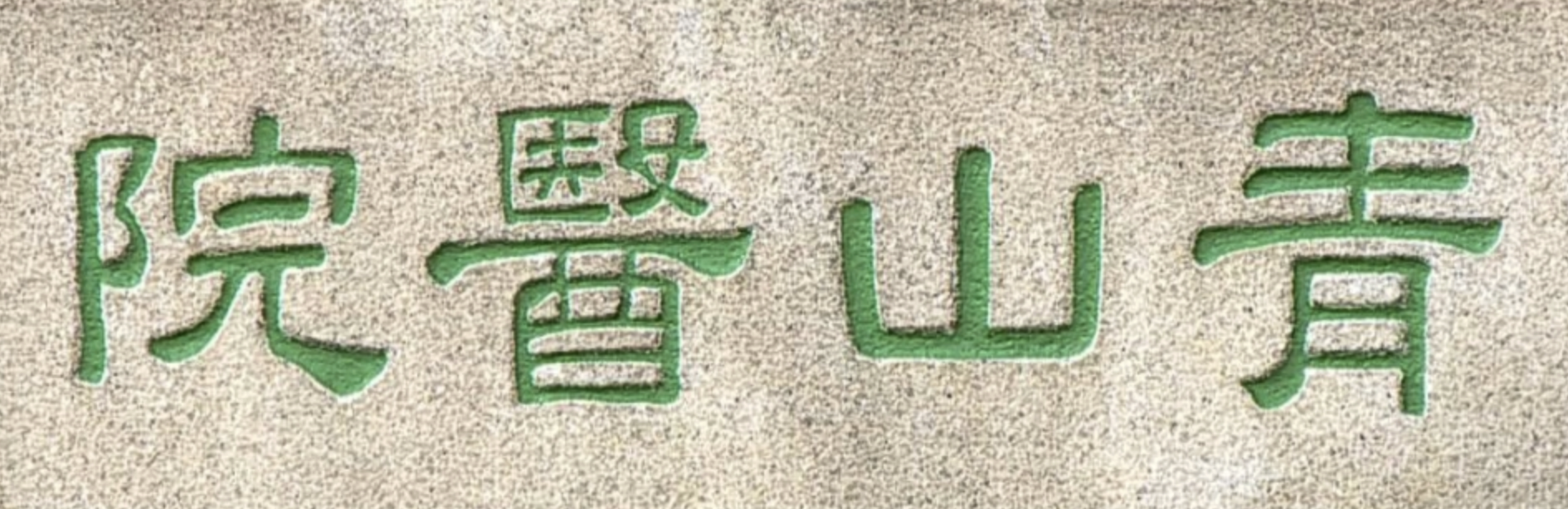
Reference 2: Logo (wardrobe detail)